Inhalt
13.3 Print settings for Chapters & Report Items
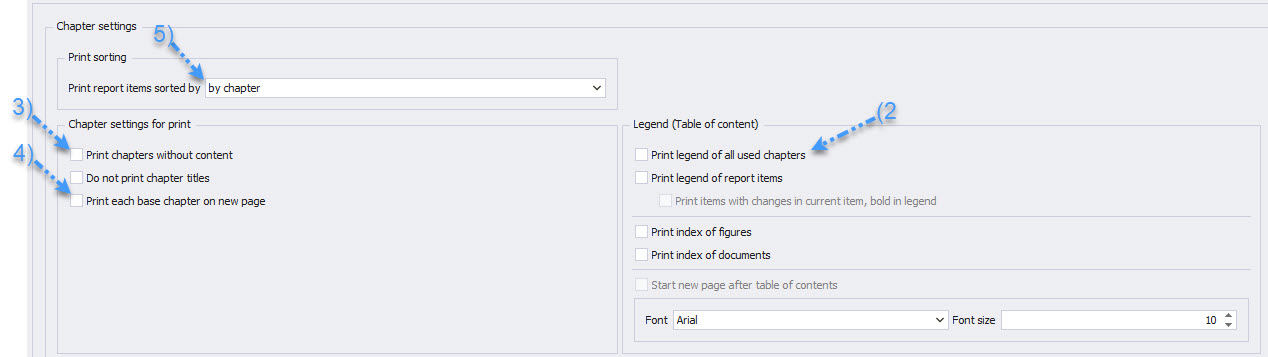
For optimized documentation and presentation of your reports, PROMAN allows individual settings regarding the content and structure of your documents, as illustrated below:
-
Report Content Settings / Chapters & Report Items (1)
-
Print Table of Contents for All Chapters (2): Provides a complete overview of the chapter structure at the beginning of the report.
The table of contents appears only in print, not in the digital protocol view, offering a clear overview for printed documents. -
Print Chapters Without Report Items (3): Chapters without specific sub-items are also included for a complete representation.
-
Print Chapters on a New Page (4): For clear organization, each chapter begins on a new page, except for subchapters.
These settings support customized report creation that seamlessly integrates into the overall structure of your project documentation process, maintaining clarity and improving readability.
-
Sorting of Report Items by Report Item Number or by Chapter (5): Offers flexibility in arranging content, either sequentially by numbering or grouped by chapters.
Note: When sorting by report item number, the chapters are not printed.
By Report Item Number:
By Chapter: