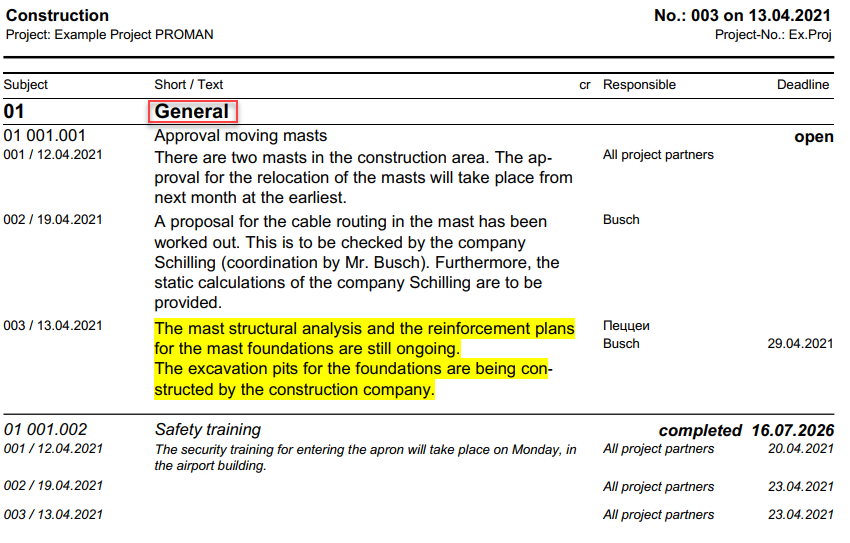
For optimized documentation and presentation of your reports, PROMAN allows individual settings regarding the content and structure of your documents, as illustrated below:
* **Report Content Settings / Chapters & Report Items (1)**
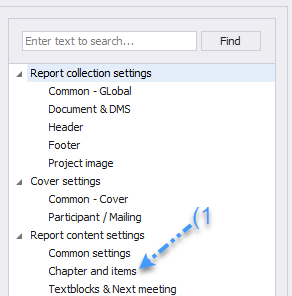 * **Print Table of Contents for All Chapters (2):** Provides a complete overview of the chapter structure at the beginning of the report.
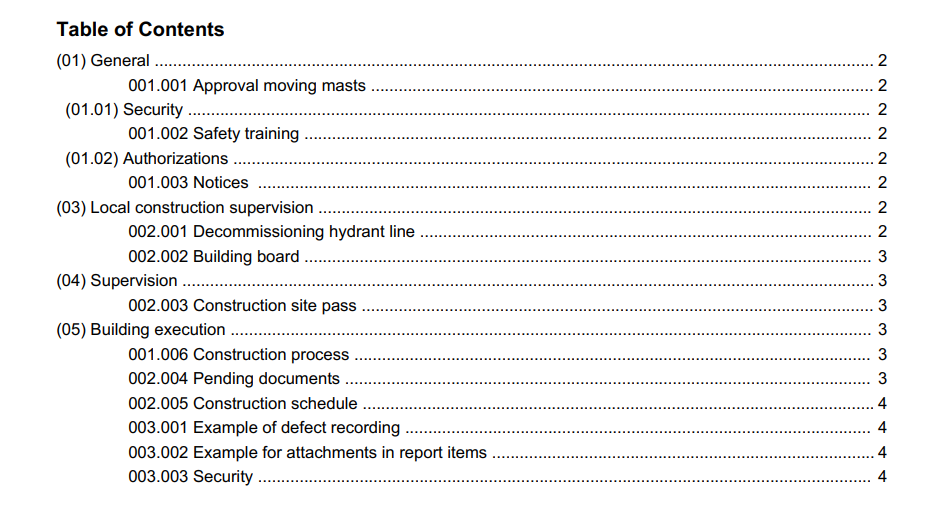 _**The table of contents appears only in print, not in the digital protocol view, offering a clear overview for printed documents.**_
* **Print Chapters Without Report Items (3):** Chapters without specific sub-items are also included for a complete representation.
* **Print Chapters on a New Page (4):** For clear organization, each chapter begins on a new page, except for subchapters.
These settings support customized report creation that seamlessly integrates into the overall structure of your project documentation process, maintaining clarity and improving readability.
_**The table of contents appears only in print, not in the digital protocol view, offering a clear overview for printed documents.**_
* **Print Chapters Without Report Items (3):** Chapters without specific sub-items are also included for a complete representation.
* **Print Chapters on a New Page (4):** For clear organization, each chapter begins on a new page, except for subchapters.
These settings support customized report creation that seamlessly integrates into the overall structure of your project documentation process, maintaining clarity and improving readability.
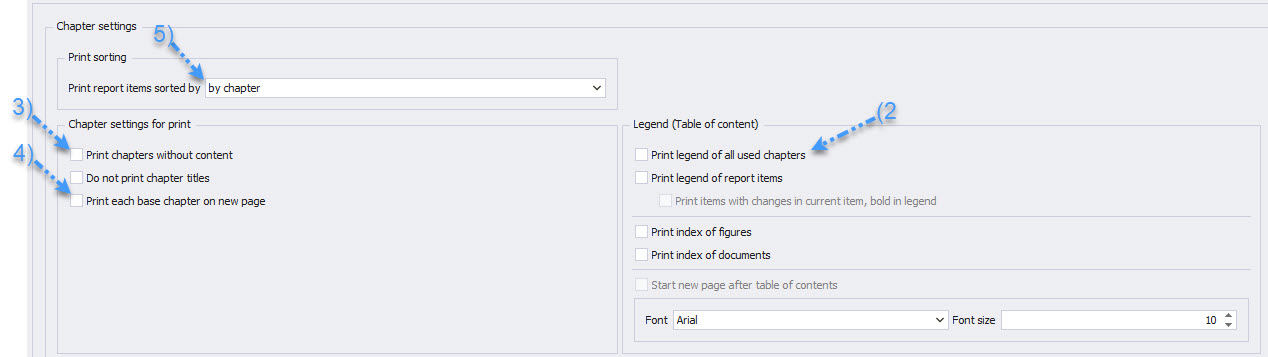 * **Sorting of Report Items by Report Item Number or by Chapter (5):** Offers flexibility in arranging content, either sequentially by numbering or grouped by chapters.
_Note: When sorting by report item number, the chapters are not printed._
**By Report Item Number:**
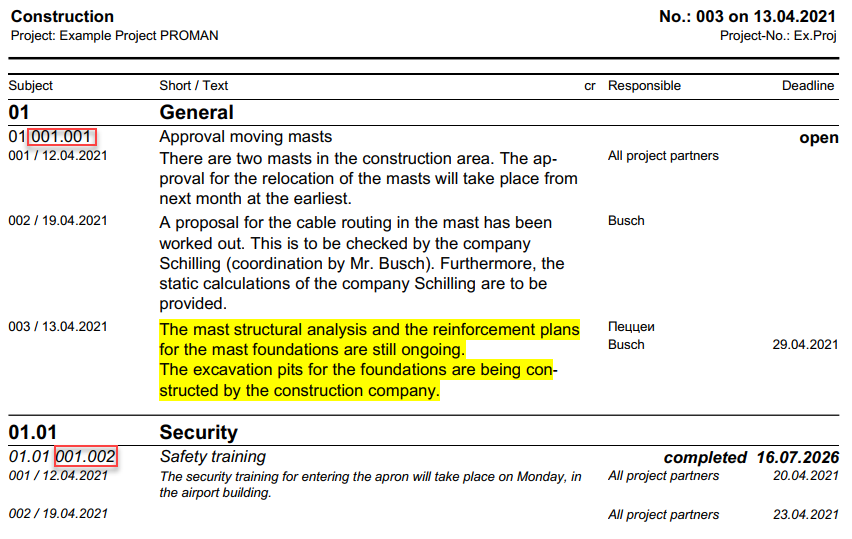 **By Chapter:**