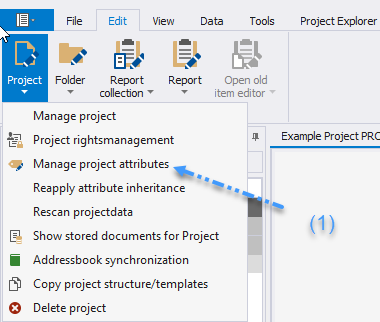
* Under "Project Attributes" (1), you will find settings specific to the current project.
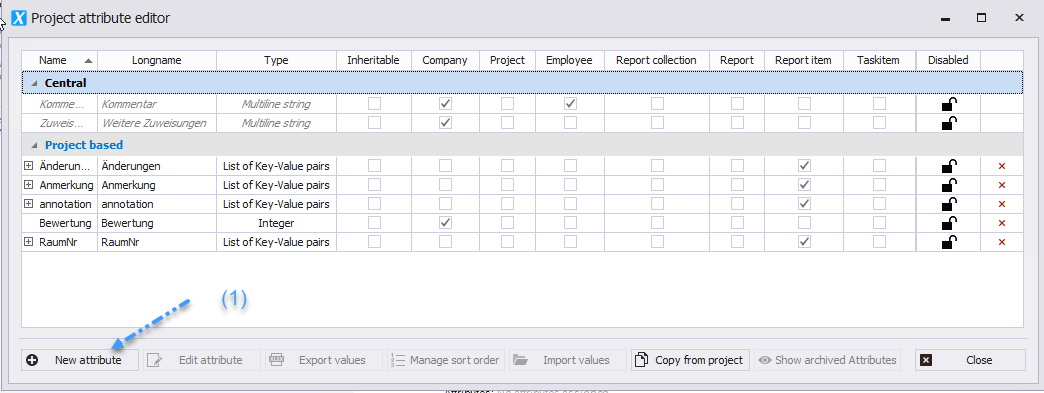
 * "Central Attributes" (2), on the other hand, include settings that apply across multiple projects.
 * Click the "New Attribute" button _(1)_ to open the form for creating new attributes.
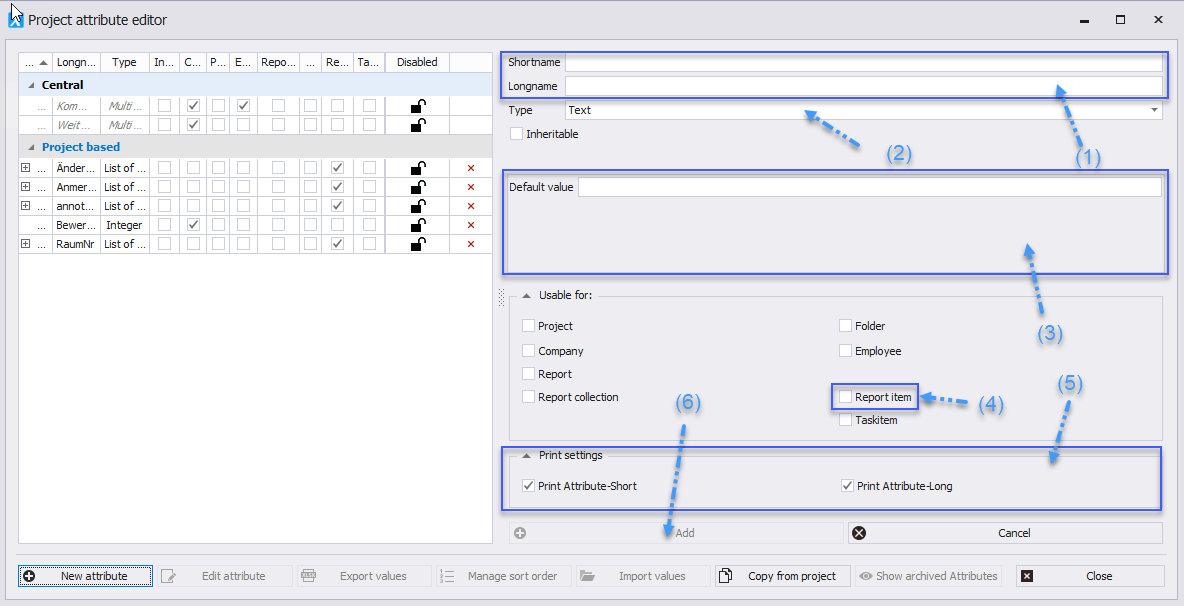
 * Enter the name for the short and long form of the attribute (1).
* To assign an attribute to a report item, make sure it is of the type Key/Value Pair (2).
* Enter the values for the Key/Value Pair and click "Add to List" to add the value (3).
* Allow the attribute to be added to a report item by checking the appropriate checkbox (4).
* Note that attributes can be printed in short and/or long form (5).
* Create the attribute using the "Create Attribute" option (6).
* Enter the name for the short and long form of the attribute (1).
* To assign an attribute to a report item, make sure it is of the type Key/Value Pair (2).
* Enter the values for the Key/Value Pair and click "Add to List" to add the value (3).
* Allow the attribute to be added to a report item by checking the appropriate checkbox (4).
* Note that attributes can be printed in short and/or long form (5).
* Create the attribute using the "Create Attribute" option (6).