Attributes can be created for employees, companies, and report items either on a project-specific basis or centrally through Menu > Tools. In the create/edit forms for companies/employees, you can directly assign these attributes.
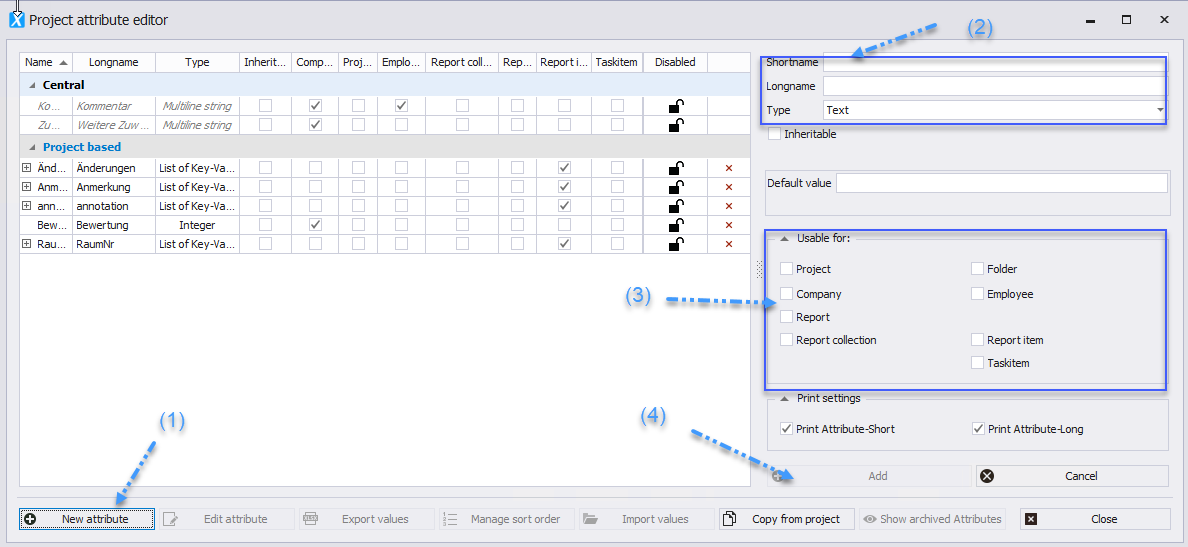
* Select “_New Attribute_” to open the form where you can create your attributes _(1)_.
* Set the desired _Short and Long Form_ _(2)_.
* You can create different _Types of Attributes_: List, Editable List, Integer, Yes/No, etc. _(2)_.
* It can be defined whether the attribute can be assigned to companies and/or employees. Accordingly, the attribute will appear in the creation and editing forms for companies and employees _(3)_.
* Confirm your entries by clicking “_Add_” _(4)_.
 The values of attributes of the types List, Editable List, and List of Key/Value Pairs can be _imported and exported_ via Excel.
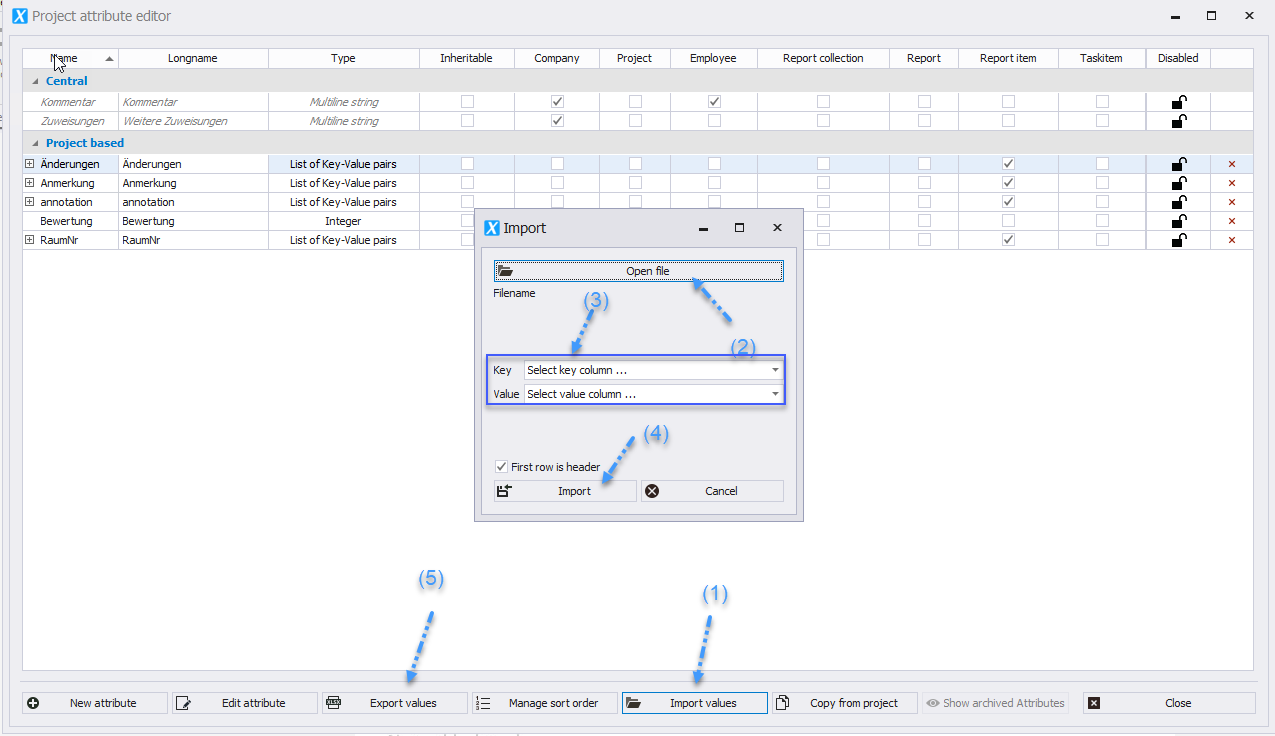
* Import _(1)_: Select the file to be imported _(2)_. Define the column for Short and Long Form _(3)_ and import the data _(4)_.
* Export _(5)_: When you click on Export, your Explorer will open. After selecting the storage location, an Excel file with the attributes will be saved.
* This is possible both centrally and project-specific.
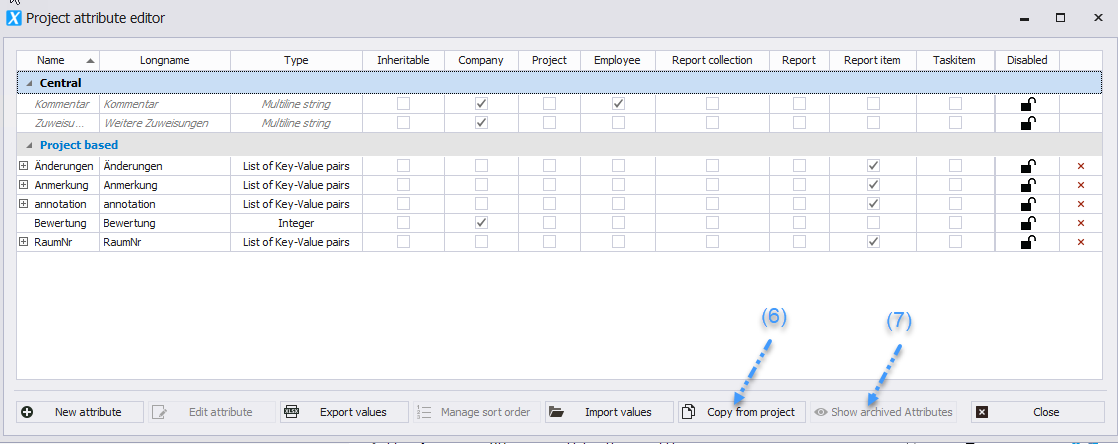
* Attributes can be copied from other projects into the project address book _(6)_.
* If you hide decommissioned attributes, they will not be displayed during export _(7)_.
The values of attributes of the types List, Editable List, and List of Key/Value Pairs can be _imported and exported_ via Excel.
* Import _(1)_: Select the file to be imported _(2)_. Define the column for Short and Long Form _(3)_ and import the data _(4)_.
* Export _(5)_: When you click on Export, your Explorer will open. After selecting the storage location, an Excel file with the attributes will be saved.
* This is possible both centrally and project-specific.
* Attributes can be copied from other projects into the project address book _(6)_.
* If you hide decommissioned attributes, they will not be displayed during export _(7)_.