## CENTRAL ADDRESS BOOK
* The Central Address Book (1) allows for the cross-project storage of companies and their employees.
* Required companies and employees can be easily dragged and dropped into the project address book.
The project address book is used for the following areas:
* Participants and distribution lists of meetings
* Affected / responsible parties for report items
* Automatic sending of reports via email
 In the central address book, you can manage all companies and employees to assign them to the desired projects in the next step.
Settings made here apply globally to all projects where these contacts are used.
The search bar _(1)_ allows you to quickly filter employees and companies:
In the central address book, you can manage all companies and employees to assign them to the desired projects in the next step.
Settings made here apply globally to all projects where these contacts are used.
The search bar _(1)_ allows you to quickly filter employees and companies:
 * The address book is customized using the different sections of the menu bar:
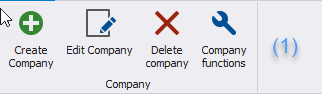
* Create, edit, delete companies and their functions _(1)_
* The address book is customized using the different sections of the menu bar:
* Create, edit, delete companies and their functions _(1)_
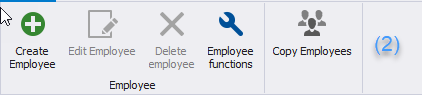
 * Create, edit, delete employees and their functions, copy employees to another company. This does not delete the existing record _(2)_
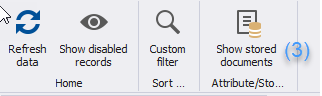
 * _Management of attributes_ that can be assigned to companies, employees, and report items _(3)_
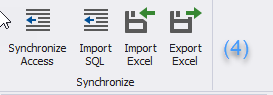
 * _Import / Export of the address book, synchronization with Outlook, SQL, etc. (4)_
 ## **CUSTOM FILTERS**
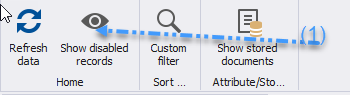
* With the button “_Show decommissioned data” (1)_ you can choose whether decommissioned records should be displayed. If the button is blue, the display of _decommissioned data_ is enabled.
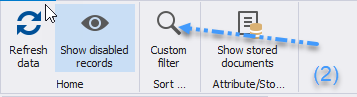
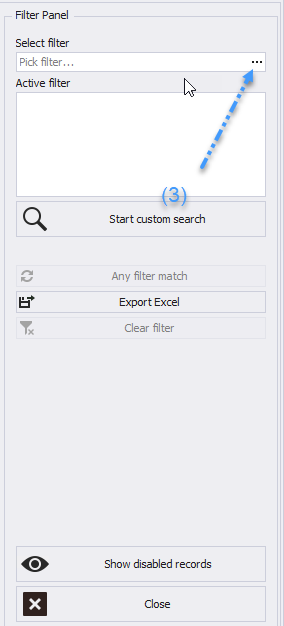
* The _Custom Filter (2)_ allows you to optimize your search and display filtered address lists using a variety of filter criteria in addition to the classic search _(3)_.
## **CUSTOM FILTERS**
* With the button “_Show decommissioned data” (1)_ you can choose whether decommissioned records should be displayed. If the button is blue, the display of _decommissioned data_ is enabled.
* The _Custom Filter (2)_ allows you to optimize your search and display filtered address lists using a variety of filter criteria in addition to the classic search _(3)_.