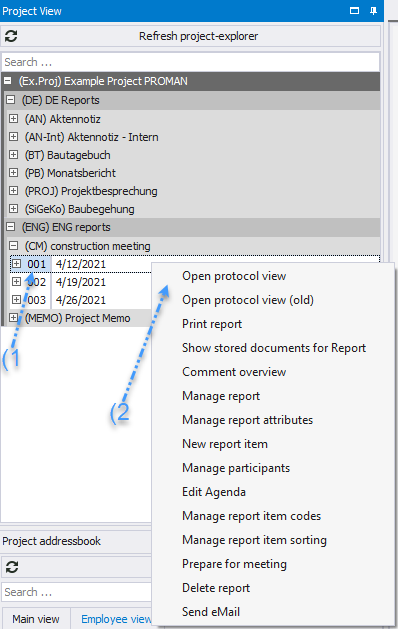
After a report is created, the protocol view automatically opens. To reopen the protocol view of a report at a later time, you have two options:
* You can either directly access the desired report by double-clicking in the Project Explorer
* or select the report and activate the appropriate option in the menu selection by right-clicking.
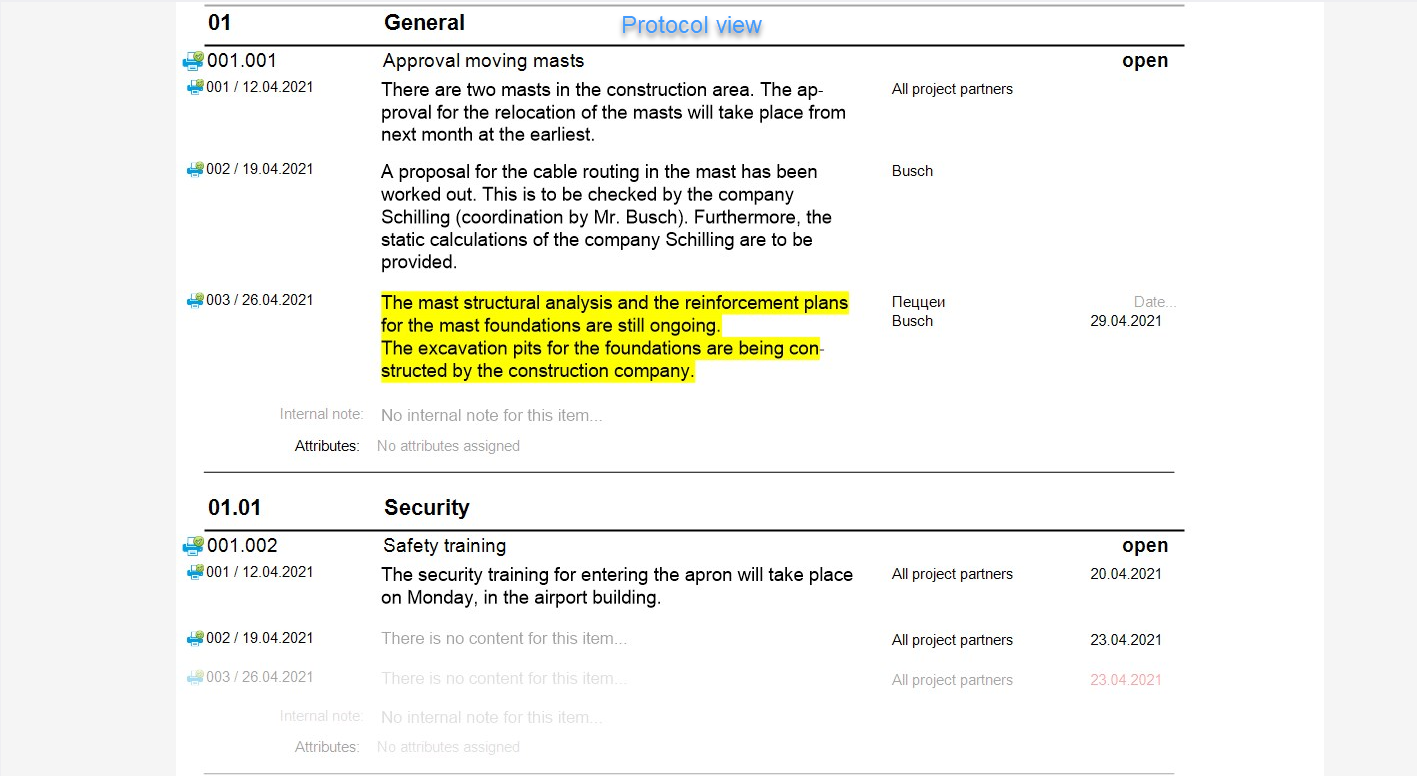
 * The protocol view allows you to preview the protocol and edit all essential information.
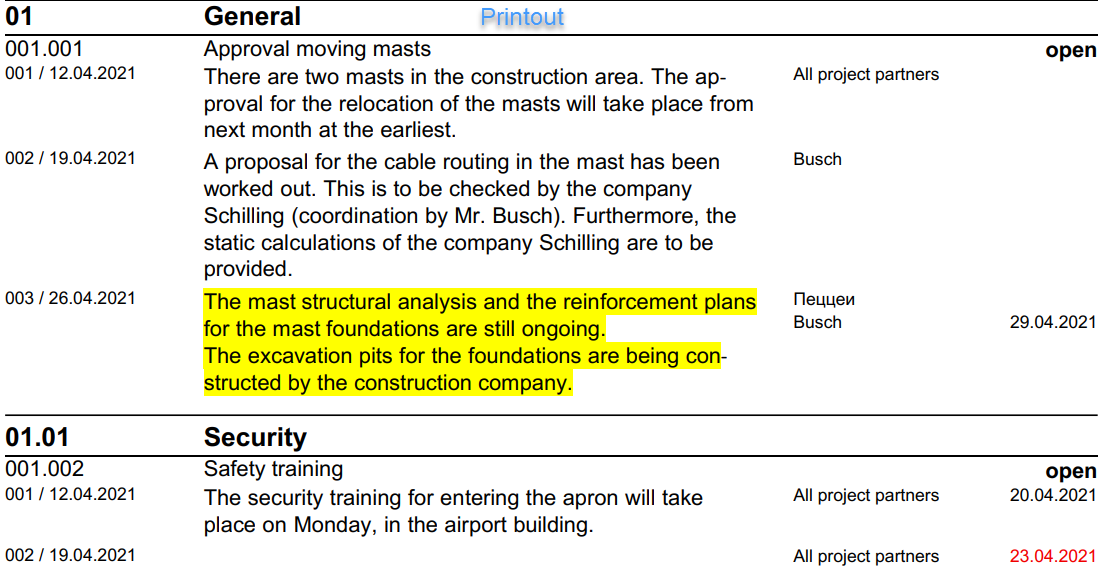
* This view largely corresponds to the printout.
* The protocol view allows you to preview the protocol and edit all essential information.
* This view largely corresponds to the printout.
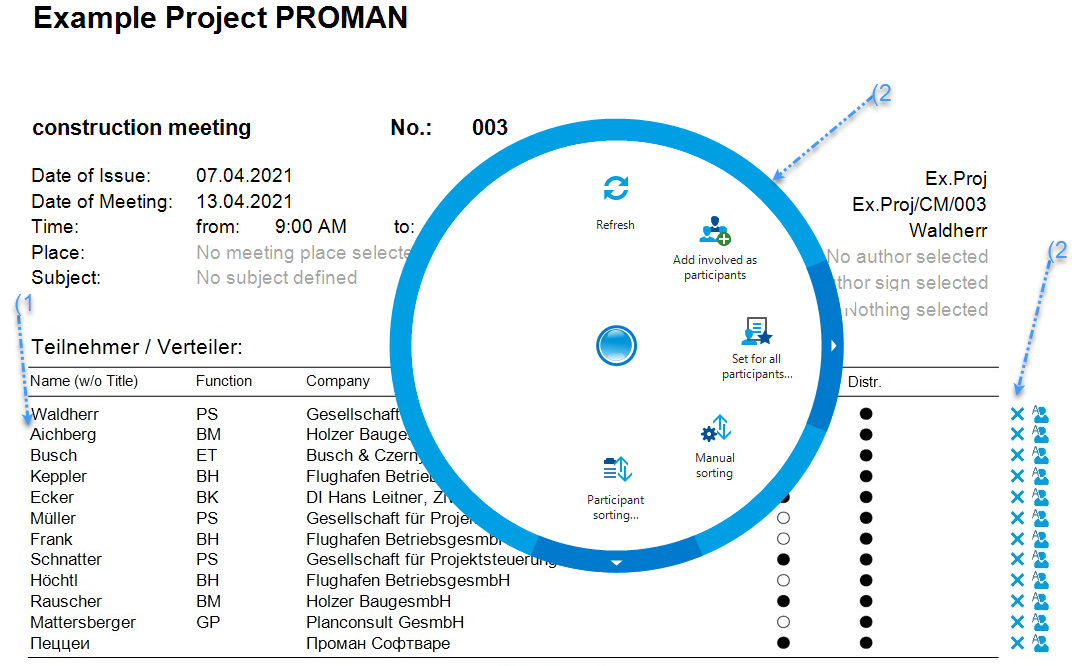
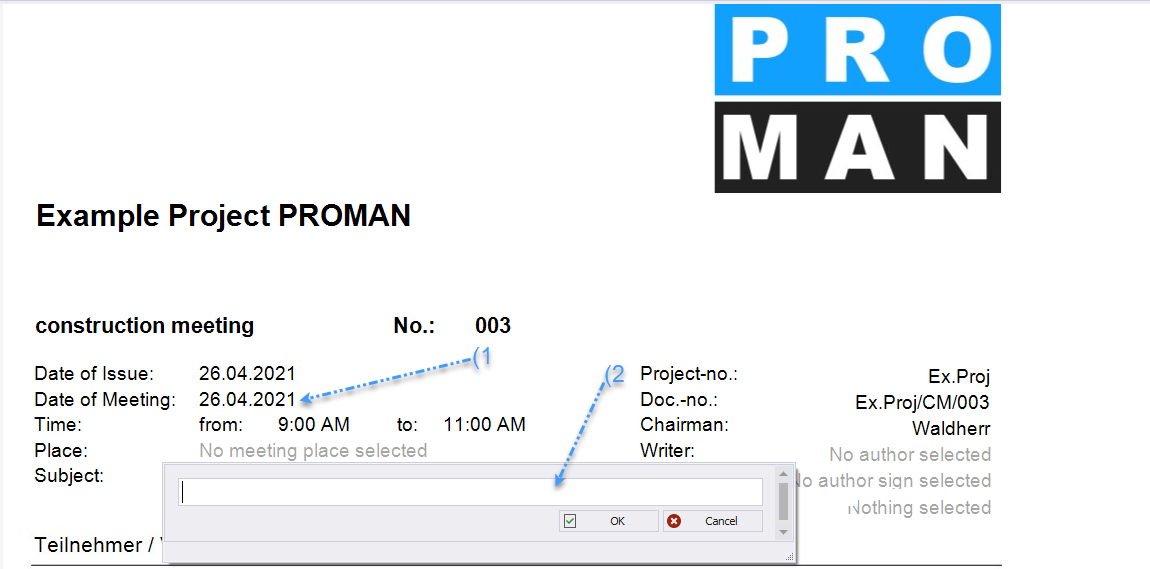
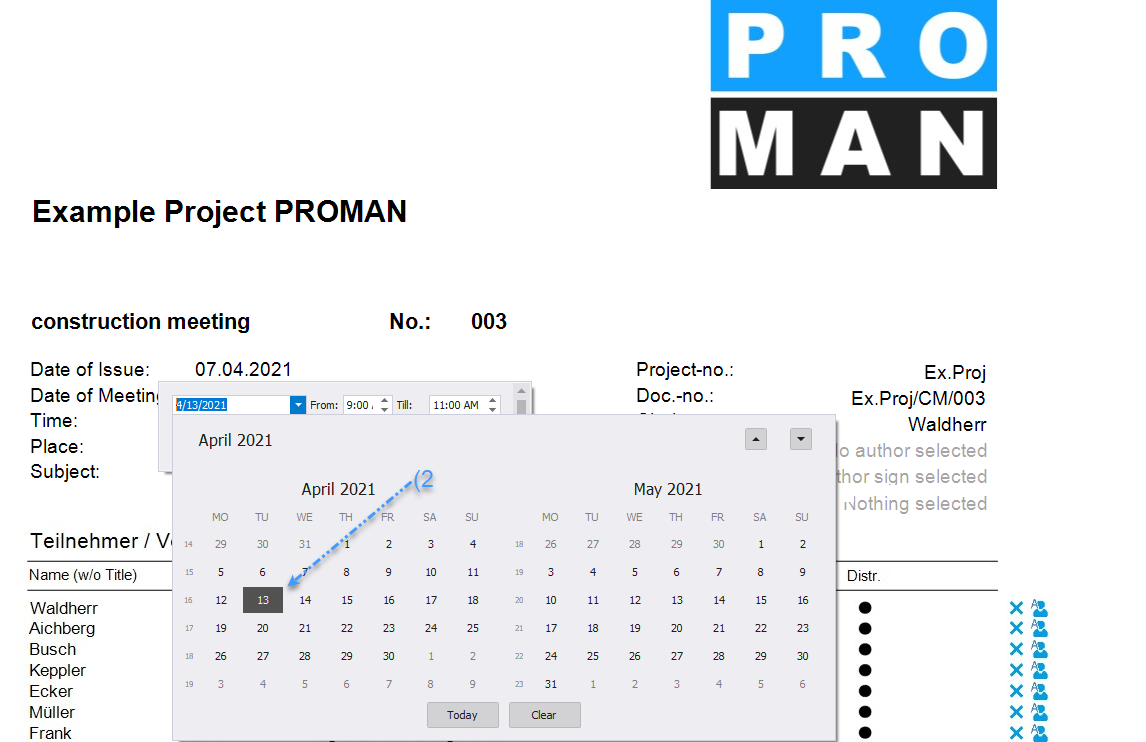
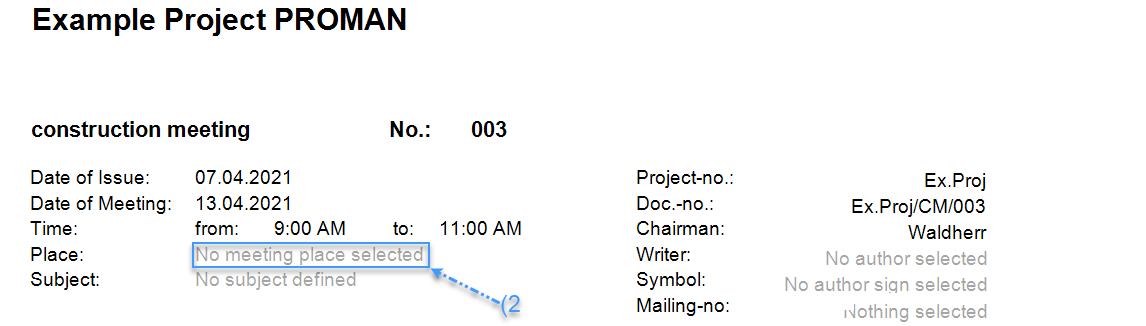
 * In the protocol view, most fields can be directly selected _(1)_ and edited _(2)_
 * Project participants can be easily dragged from the project address book into the protocol, e.g., responsible persons for a point or participants/distribution list _(1)_
* Control information is highlighted in blue _(2) (see_ [Radial Menu](https://op.proman.at/projects/proman-besprechungsbericht/wiki/kreismenu)_)_
* X to remove the person on the TV.
* Project participants can be easily dragged from the project address book into the protocol, e.g., responsible persons for a point or participants/distribution list _(1)_
* Control information is highlighted in blue _(2) (see_ [Radial Menu](https://op.proman.at/projects/proman-besprechungsbericht/wiki/kreismenu)_)_
* X to remove the person on the TV.