In the "Paragraphs" tab, you can insert your text paragraphs at various positions in the protocol. These paragraphs are automatically carried over from one protocol to the next.
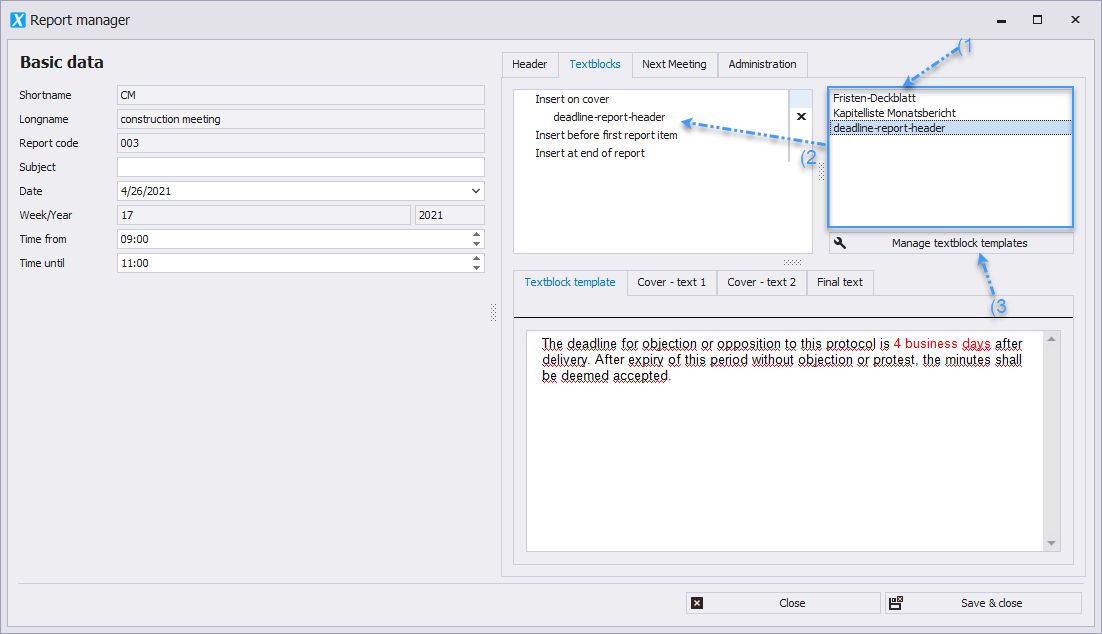
* List of text paragraphs available in the project _(1)_
* _These can be dragged and dropped to the desired position in the report (2)_
* Editing is done via the menu item "Edit Text Paragraphs Templates" _(3)_
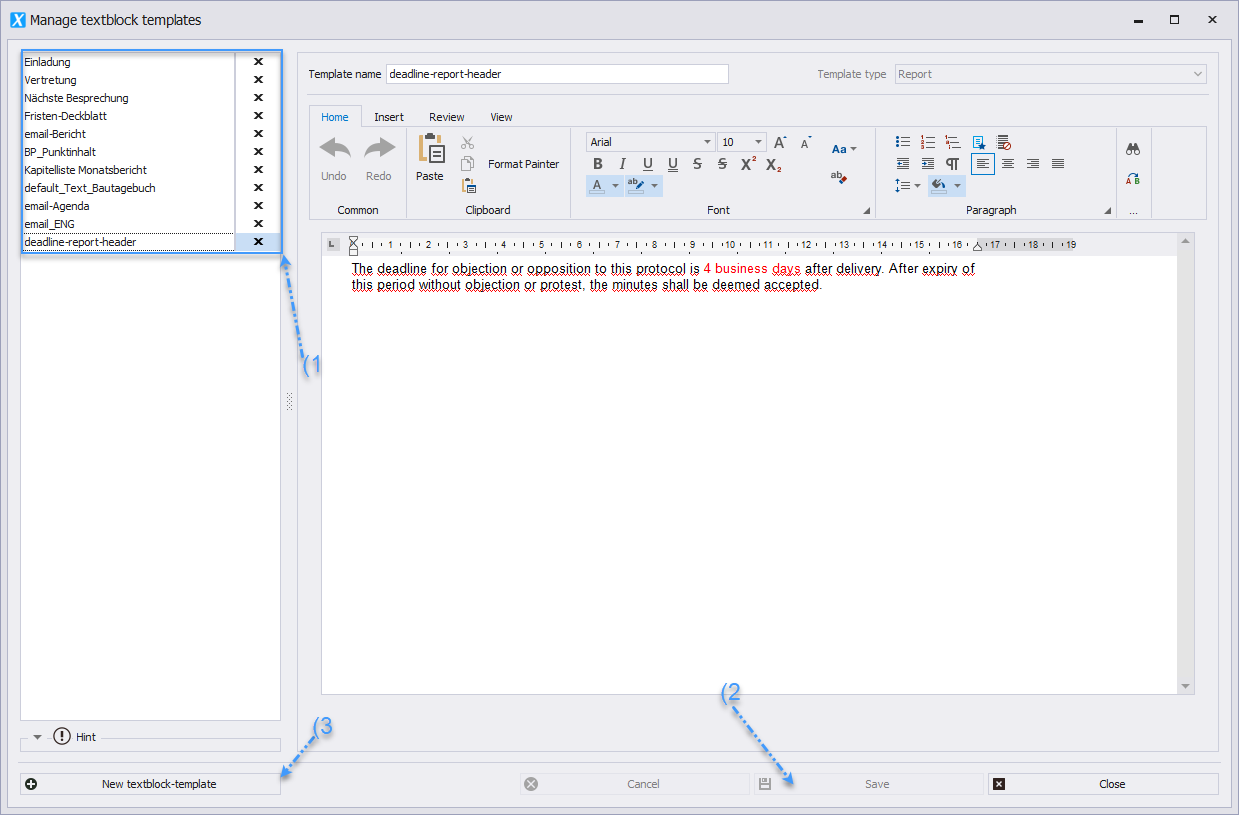
 * The text paragraph to be edited is selected _(1)_, edited in the editor, and saved _(2)_.
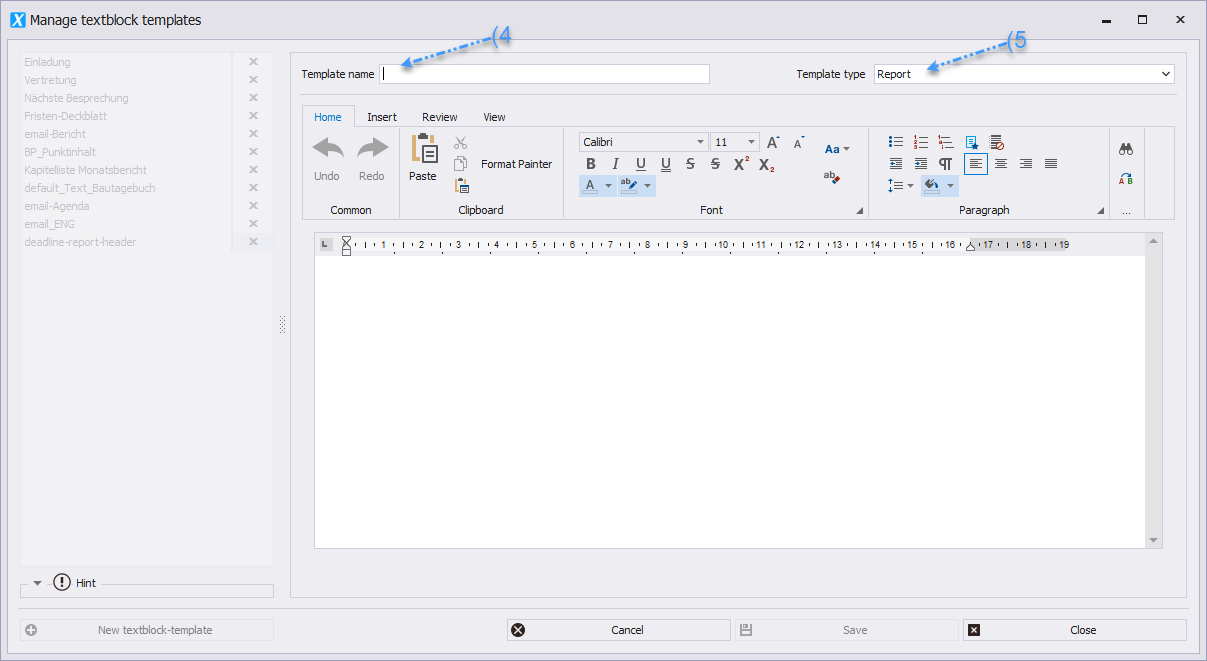
* To create a new text paragraph, select the "New Text Paragraph Template" button _(3)_, choose the name for the template _(4)_, the section where the template will be used _(5)_, adjust the content in the editor, and then click save _(2)_.
* The text paragraph to be edited is selected _(1)_, edited in the editor, and saved _(2)_.
* To create a new text paragraph, select the "New Text Paragraph Template" button _(3)_, choose the name for the template _(4)_, the section where the template will be used _(5)_, adjust the content in the editor, and then click save _(2)_.