Inhalt
02. Create project
Mehr
02.3 Project logo
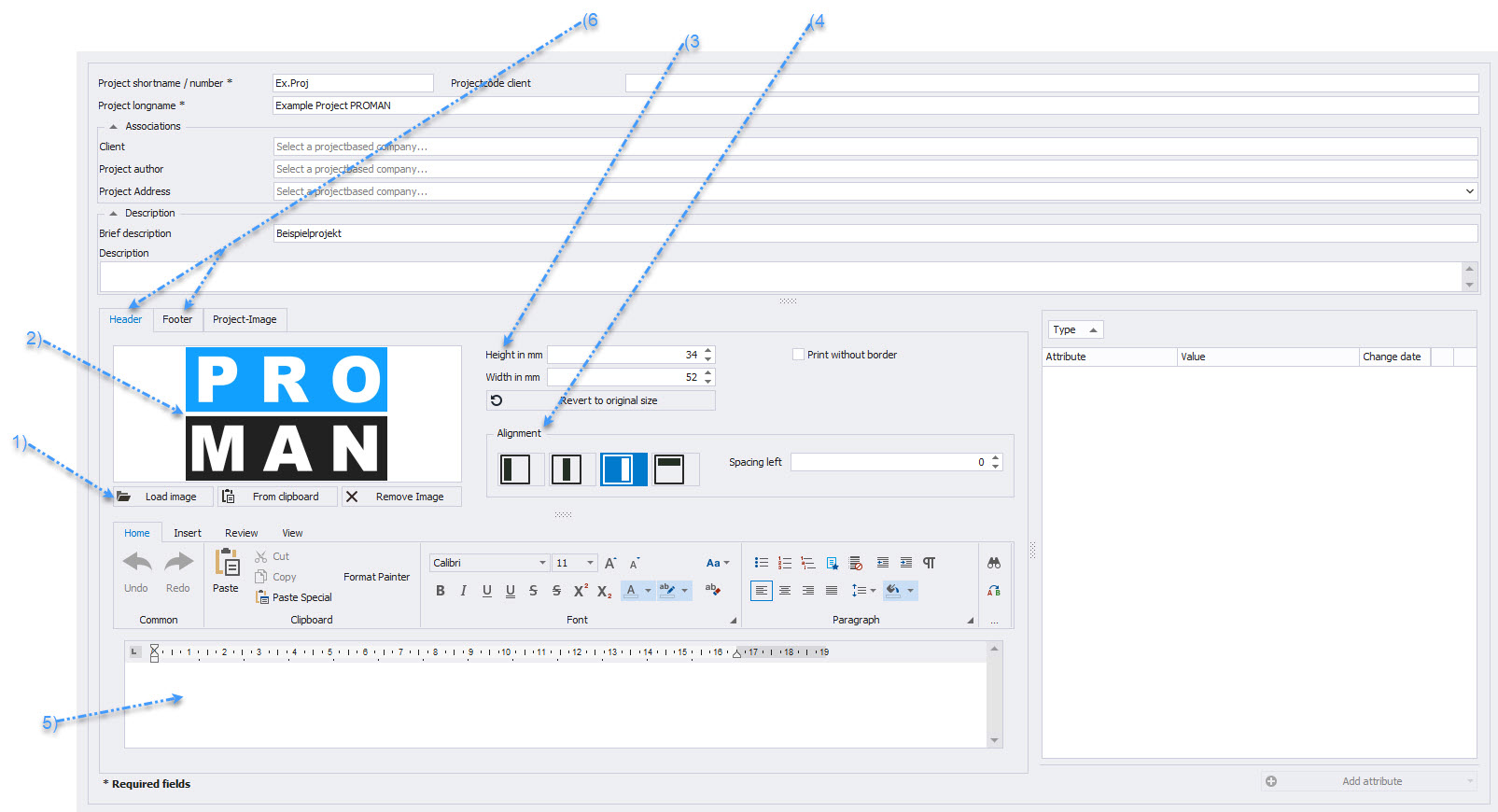
In the "Manage Project" area (2.1 Project Master Data in Print), a project logo as well as a header and footer can also be adjusted.
-
Use "Load Image" (1) to insert a logo, which will then be displayed in the preview (2).
-
The width and height (3) as well as the alignment (4) of the logo can be adjusted for printing.
-
The header and footer (6) are adjusted in the text editor (5).