Inhalt
01 Menu control and masks
-
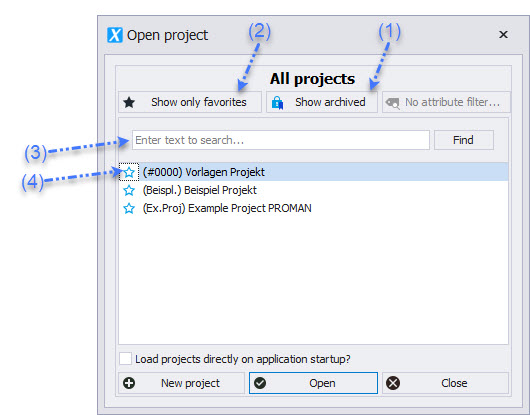
When PROMAN X starts, the "Open Project" dialog appears.
-
Double-click to open a project.
-
You can search for a specific project in the search field (3).
-
Use the favorite star (4) to mark your most important projects. When a project is marked as a favorite, only favorites are displayed.
-
To display all projects again, use the "Show Only Favorites" button (2).
-
The "Show Decommissioned" option displays all decommissioned or archived projects (1).
The mask elements can be rearranged by drag and drop.
Click on the blue menu bar (1) of an element and place it in the position cross (2) that appears.
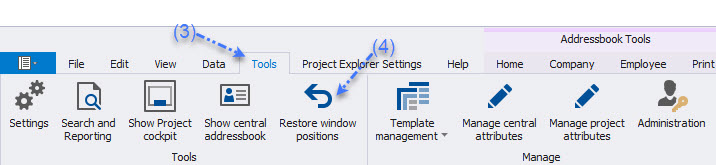
The arrangement can be reset at any time. To do this, click on Tools (3) in the menu bar and select "Reset Window Positions" (4).
-
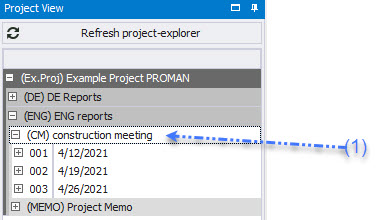
Project tree with report collections and their reports (1)
-
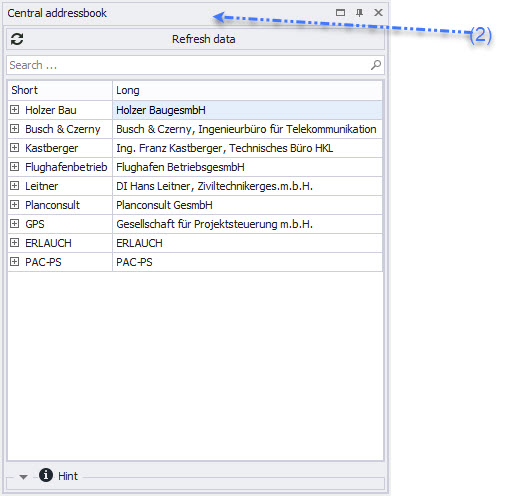
Address data (central or project-specific, recognizable by the header) (2)
-
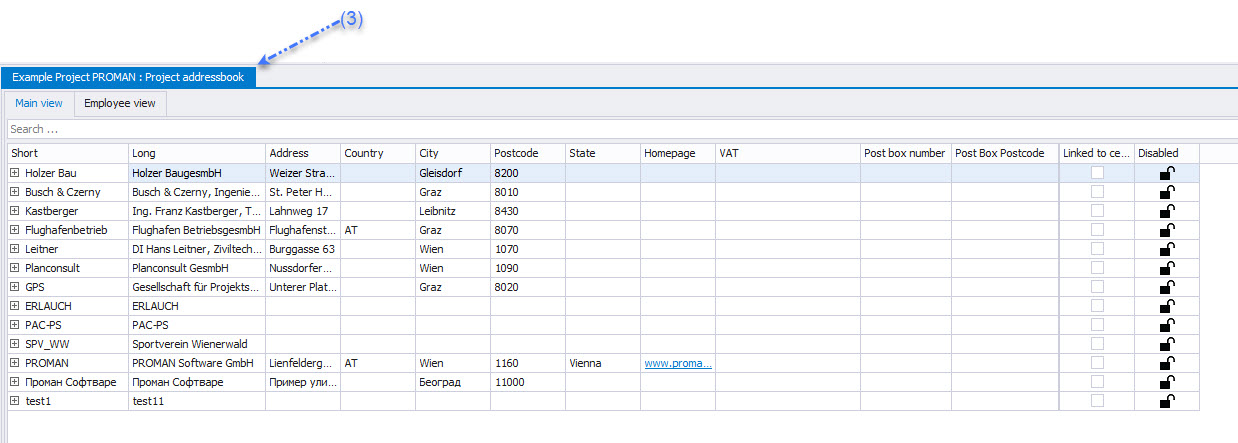
Project addresses (3)
-
A menu bar with the essential functions for the current view (4)
Menus and functions can be selected in the following ways:
-
Right-click (1).
-
Top menu elements (2).